
How to Use Binance and OKX: A Step-by-Step Crypto Exchange Guide for Beginners
Cryptocurrency trading has become increasingly accessible, and two of the largest platforms in the space are Binance and OKX (formerly OKEx). For new users, understanding how to navigate these exchanges is the first step toward buying, selling, or trading digital assets like Bitcoin and Ethereum. This guide explains the fundamental processes for using both OKX and Binance, from registration to making your first trade.
First, you need to create an account on your chosen exchange. For both Binance and OKX, visit the official website or download the mobile app. You will need to provide an email address or phone number and set a strong password. After registration, you must complete Identity Verification (KYC). This typically involves submitting a government-issued ID, such as a passport or driver’s license, and taking a selfie. Both exchanges require this to comply with global regulations and to unlock higher withdrawal limits.
Once your account is verified, the next step is to deposit funds. OKX and Binance offer two primary deposit methods. You can deposit fiat currency (like USD, EUR, or GBP) via bank transfer, credit/debit card, or third-party payment processors. Alternatively, you can deposit cryptocurrency directly. On the main dashboard, navigate to "Assets" or "Wallet," select "Deposit," and choose your currency. If depositing crypto, you will receive a deposit address specific to the blockchain network (e.g., Bitcoin, ERC20, or BEP20). Always double-check the network type to avoid losing funds.
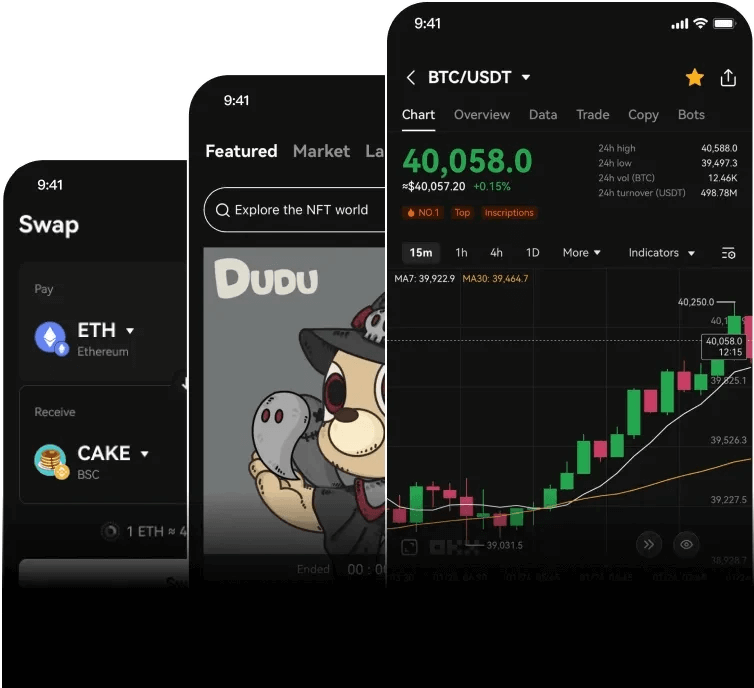
After funding your account, you can start trading. The primary interface is the "Spot Trading" page. Here, you will see a price chart, order book, and buy/sell panel. To make a simple purchase, use the "Market Order" option. For example, if you want to buy Bitcoin using USDT, enter the amount of USDT you want to spend, and the order will execute instantly at the current market price. The "Limit Order" option allows you to set a specific price at which you want the trade to execute. If the market reaches that price, your order will fill.
Security is critical when using these platforms. Both Binance and OKX offer robust security features. You must enable Two-Factor Authentication (2FA) using an authenticator app like Google Authenticator or Authy. This adds a second layer of protection beyond your password. Additionally, set up anti-phishing codes and withdraw addresses whitelisting. Never share your login credentials or private keys with anyone. For long-term storage of large amounts of crypto, consider transferring your assets to a hardware wallet (like Ledger or Trezor) instead of keeping them on the exchange.
Another important feature on both exchanges is the option for staking and earning. In the "Earn" or "Finance" section, you can lock your idle cryptocurrency to earn interest. OKX provides various staking products for different coins, while Binance offers flexible savings, locked staking, and liquidity farming. These options allow you to generate passive income without actively trading.
Finally, know how to withdraw your funds. To move your crypto from the exchange to another wallet, go to "Withdraw" under the "Assets" menu. Enter the recipient address, select the correct network, and confirm the transaction. Always perform a small test withdrawal first to verify the address. For fiat withdrawals, choose your preferred payment method and follow the instructions. Most withdrawals are processed within a few minutes to a few hours, depending on the network congestion.
In conclusion, using OKX or Binance is a straightforward process once you understand the basics. By following the steps of registration, verification, depositing funds, placing trades, and maintaining security, you can effectively manage your cryptocurrency portfolio. Always stay updated on platform announcements and trading fees, as these can change. Start with small amounts, practice using the demo features if available, and gradually increase your activity as you become more comfortable with the platforms.

发表评论